
How to Recover Data from a Formatted 128GB exFAT SD Card for Free
Accidentally formatting an SD card can make all of your photos, videos, documents, and folders appear to disappear instantly. However, formatting does not always mean that the original data is immediately destroyed.
In this real recovery test, we formatted a 128GB exFAT SD card, confirmed that Windows showed the card as empty, and then used Lazesoft Data Recovery to search for and recover the lost files.
The result: 105 files were recovered successfully, including the original folders and image files.
This guide walks through the complete process shown in the video.
Important: If you accidentally format an SD card, stop using it immediately. Do not copy new files to the card, format it again, or save recovered files back to it. New data may overwrite files that could otherwise be recovered.
The Test: A Formatted 128GB exFAT SD Card
For this recovery test, we used a nominal 128GB SD card formatted with the exFAT file system.
Windows detected it as drive M:.
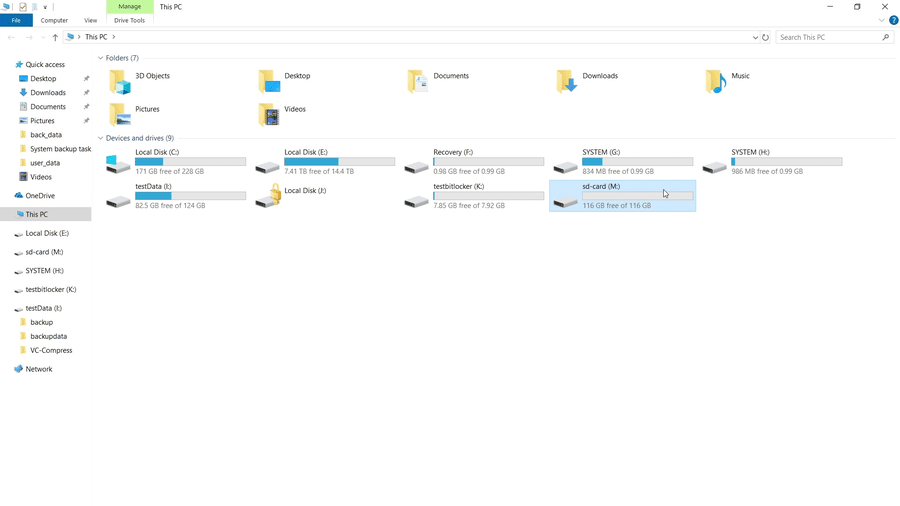
In Windows Explorer, the card showed approximately 116GB free of 116GB.
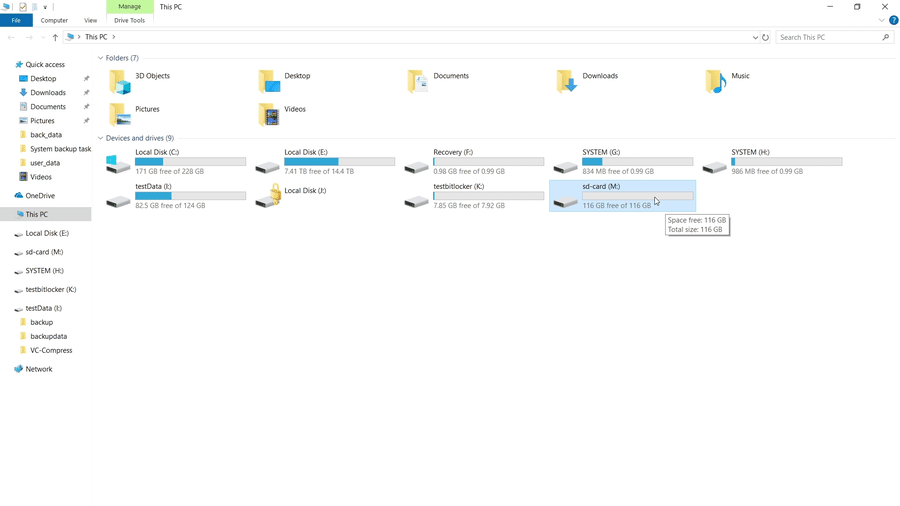
This is an important sign in this test: Windows could still recognize and mount the SD card, but the file system no longer displayed the files that had previously been stored on it.
When we opened drive M:, Windows displayed:
This folder is empty.
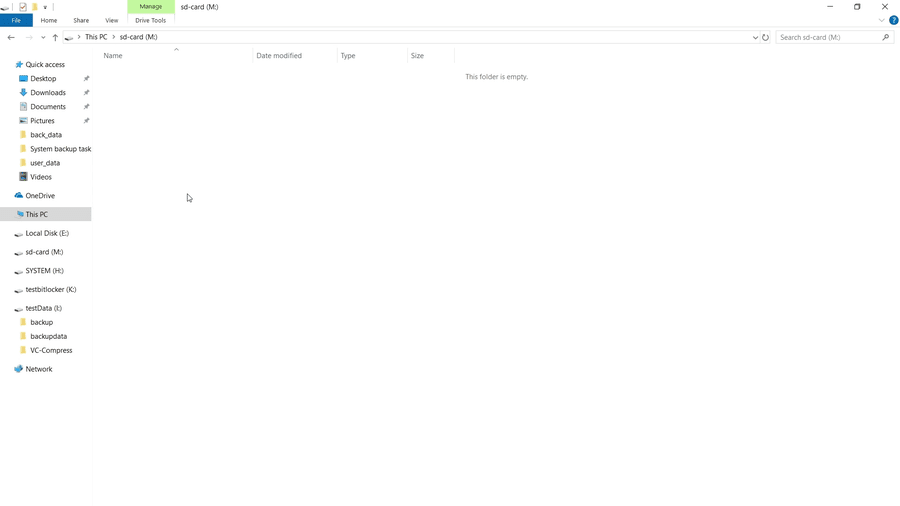
Although the files were no longer visible in Windows Explorer, we wanted to find out whether the previous data could still be recovered.
Video: Recover Data from a Formatted 128GB exFAT SD Card
Watch the complete recovery test, from an empty formatted SD card to successfully restored folders and files.
Quick Steps to Recover Files from a Formatted SD Card
- Stop using the formatted SD card.
- Open Lazesoft Recovery Suite and start Data Recovery.
- Select Unformat recovery.
- Select the formatted SD card and choose Automatic drive recovery (Recommended).
- Scan the card and browse the recovered files and folders.
- Select the files you need and click Save Files.
- Save the recovered files to another drive, not back to the SD card.
- Open the destination folder and verify the recovered files.
Step 1: Open Lazesoft Recovery Suite
Start Lazesoft Recovery Suite Home Edition.
From the main screen, select Data Recovery.
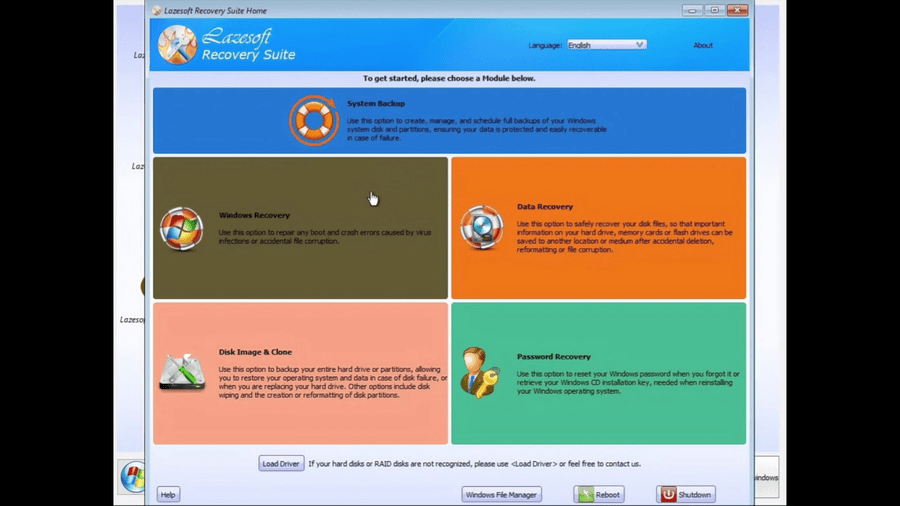
Lazesoft Data Recovery provides several recovery methods for different data-loss situations, including deleted files, formatted partitions, damaged partitions, and deeper file searches.
For this test, because the SD card had been formatted, we used Unformat Recovery.
Step 2: Select Unformat Recovery
Click Start Recovery to open the Data Recovery Wizard.
The available recovery modes include:
- Fast Scan
- Undelete
- Unformat
- Deep Scan
Select Unformat.
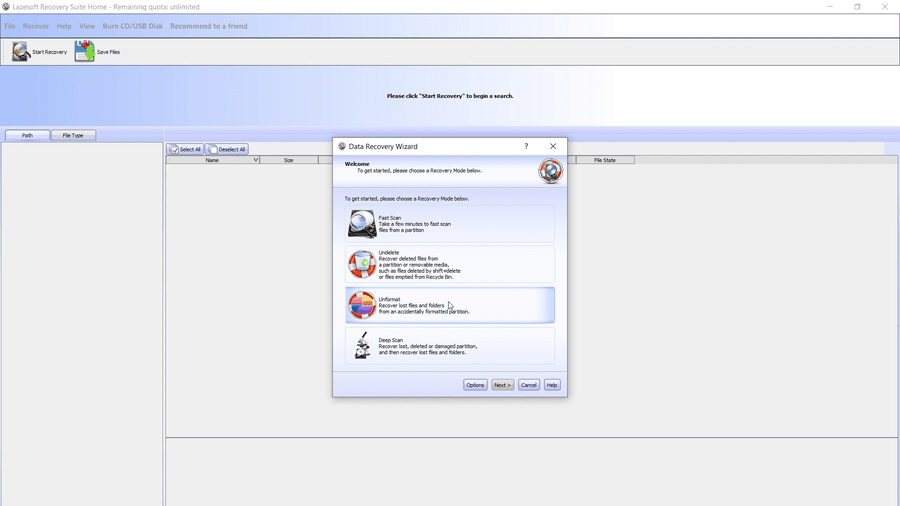
The Unformat option is intended for situations where a partition or removable storage device has been formatted and the previous files are no longer visible.
Click Next.
Step 3: Select the Formatted exFAT SD Card
Lazesoft displays the storage devices and partitions detected by the computer.
Find the formatted SD card carefully.
In our test, it appeared as:
sd-card (M:) — exFAT
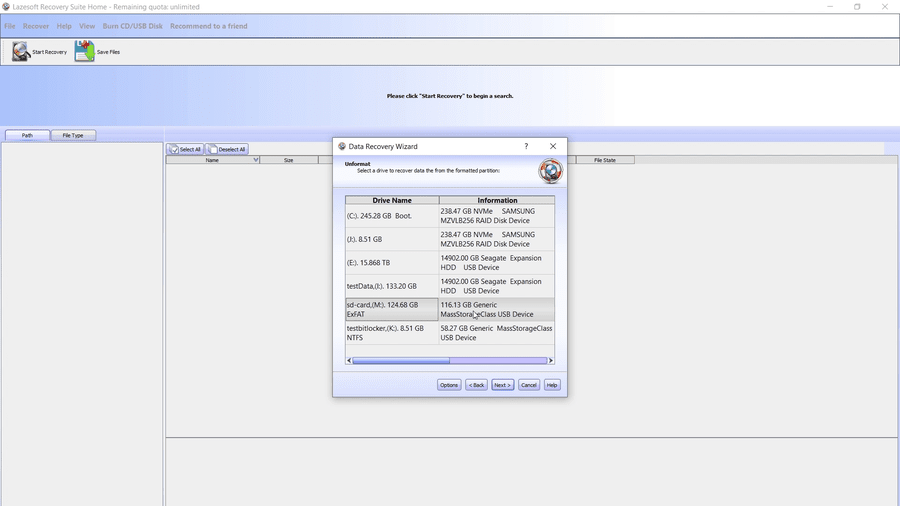
Make sure you select the correct device before continuing, especially when several internal disks, USB drives, or memory cards are connected.
You can usually identify the SD card by checking:
- Drive letter
- Capacity
- File system
- Device description
In this example, Windows assigned the SD card drive letter M:.
After confirming the correct SD card, click Next.
Step 4: Choose Automatic Drive Recovery
The next screen provides recovery options.
For this test, we selected:
Automatic drive recovery (Recommended)
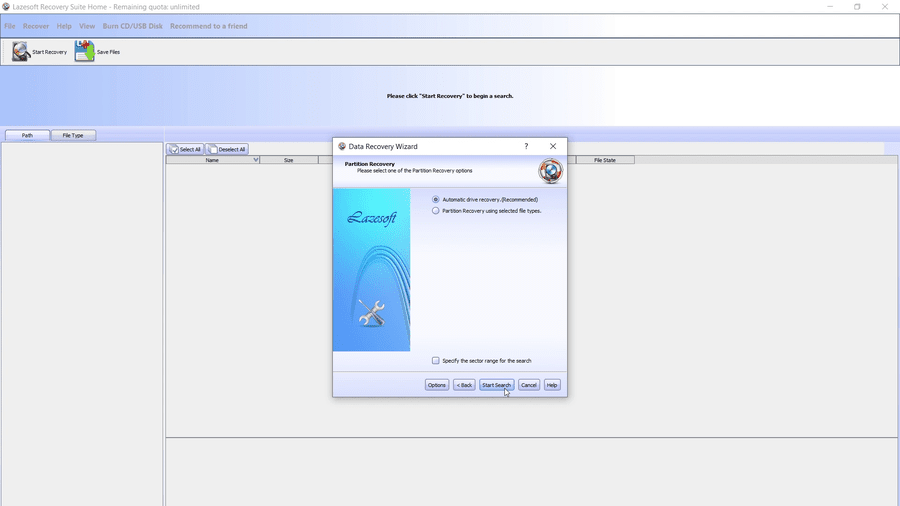
This allows Lazesoft to automatically search the selected SD card for recoverable file-system information and lost data.
Unless you have a specific reason to manually limit the scan range or file types, the automatic option is a good starting point.
Click Start Search.
Step 5: Scan the Formatted SD Card
Lazesoft now scans the SD card for information from the previous file system and searches for recoverable files and folders.
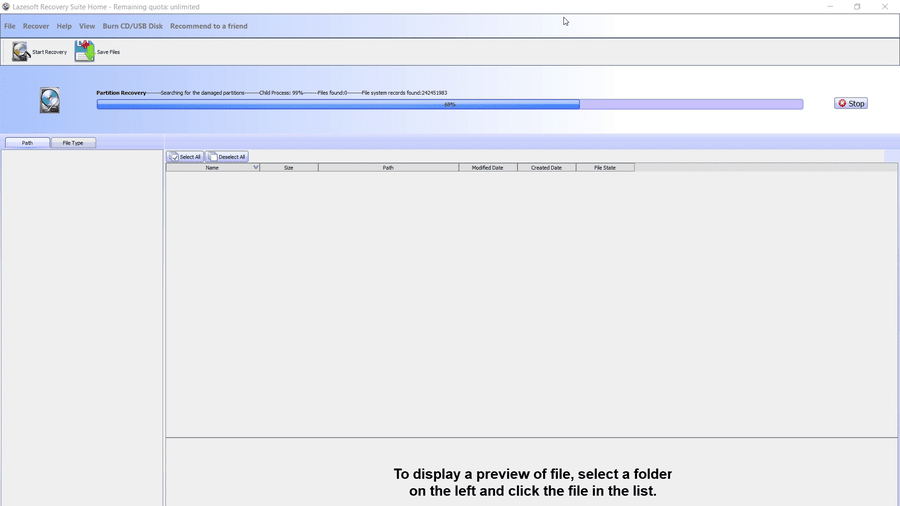
The amount of time required depends on several factors, including:
- Capacity of the SD card
- Card reading speed
- USB/card-reader speed
- Amount of data previously stored
- Condition of the card
- Type of recovery scan
During the scan, avoid disconnecting the SD card.
Also avoid using the formatted card for anything else until the recovery process is complete.
Step 6: Wait for the Search to Complete
When the scan finishes, Lazesoft displays a message confirming:
Searching is complete.
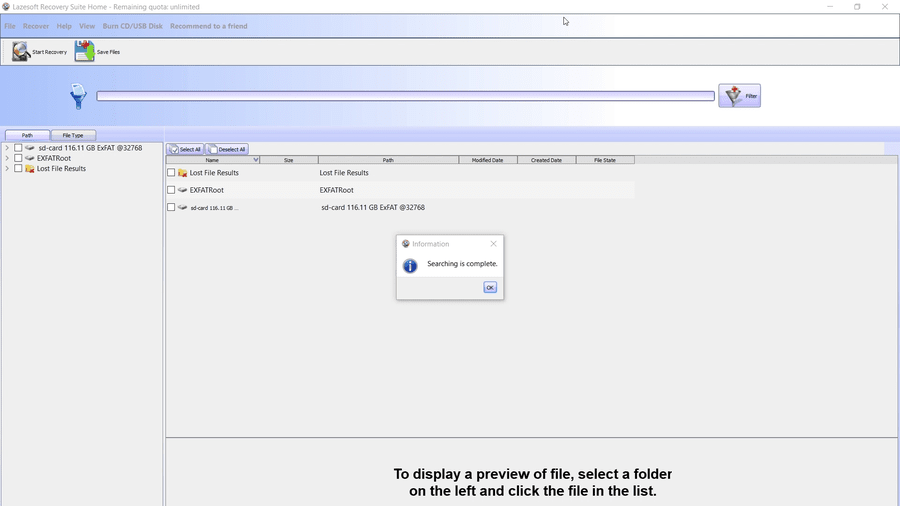
The recovery results may include several categories or reconstructed folder structures.
In our test, Lazesoft identified the exFAT file system and displayed an EXFATRoot entry, along with lost folders.
Step 7: Browse the Files Found on the Formatted SD Card
Expand the recovered file system and folders in the left-hand tree.
In this test, Lazesoft found several lost folders under EXFATRoot, including LostFolder@9.
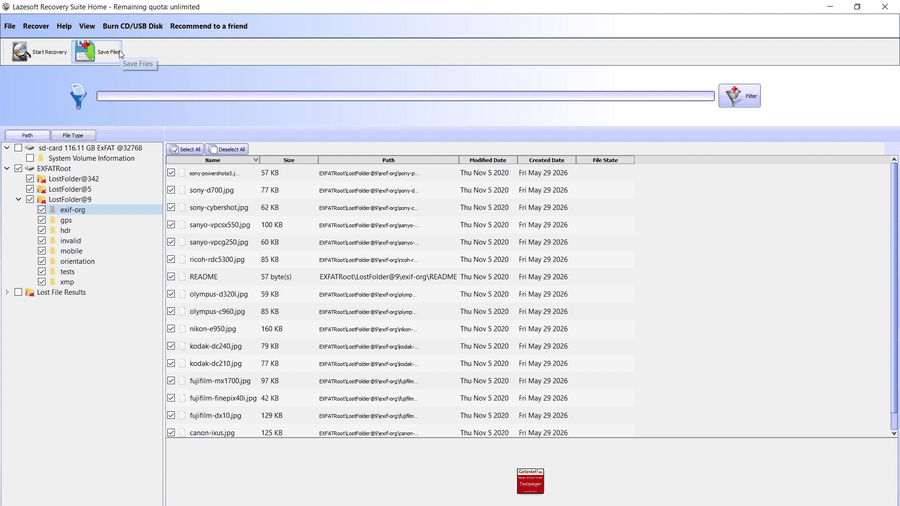
Inside the recovered folder structure, we could see directories such as:
exif-orggpshdrinvalidmobileorientationtestsxmp
The file list also showed many recovered JPEG images.
This is a good point to examine the scan results before saving everything.
If the program provides previews for supported file formats, previewing important photos can help verify that the files are readable before recovery.
Step 8: Select the Files You Want to Recover
Select the folders or individual files you want to restore.
In our test, the recovered list contained many image files with their filenames, sizes, paths, and dates.
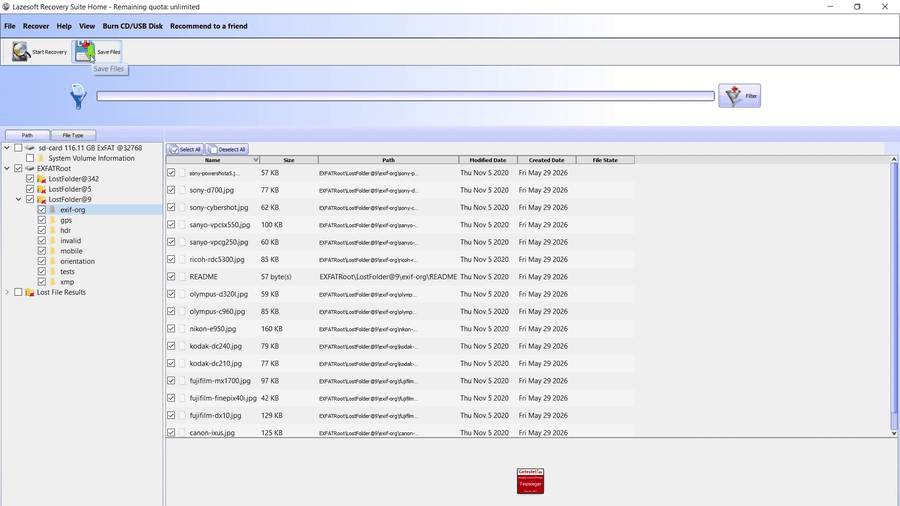
After selecting the required files, click Save Files.
Step 9: Save the Recovered Files to Another Drive
This is one of the most important parts of any data-recovery process.
Do not save the recovered files back to the formatted SD card.
Instead, choose another physical disk, SSD, USB drive, or other storage device.
In our test, the lost files were on drive M:, so we selected a folder on drive E: as the recovery destination.
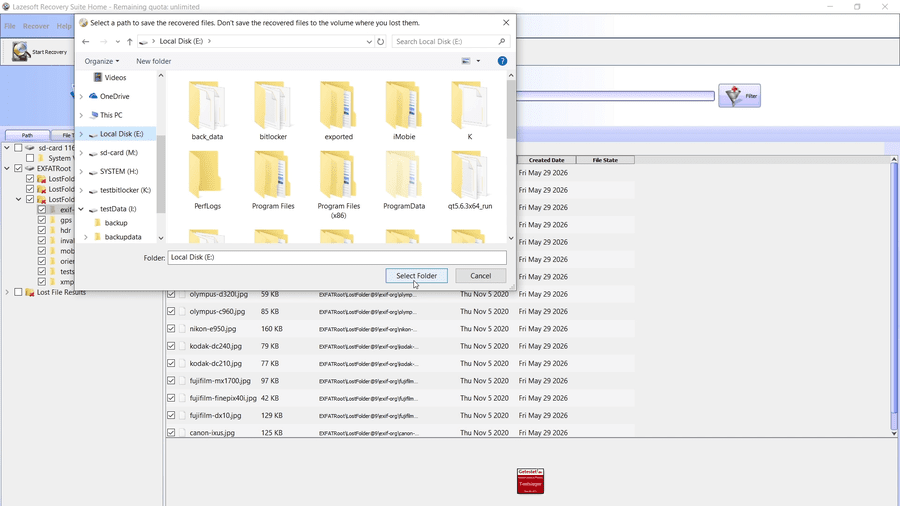
Why is this important?
When data is recovered, the recovery program needs to write new files somewhere. If those files are written back onto the source SD card, they may overwrite sectors containing additional recoverable data.
For example:
- Lost data source: M:
- Safe recovery destination: E:
Never use M: as both the recovery source and the destination.
Step 10: 105 Files Recovered Successfully
Lazesoft then copied the selected files to the destination drive.
In this test, the recovery window reported:
File Recovered: 105
and:
The selected files were saved successfully.
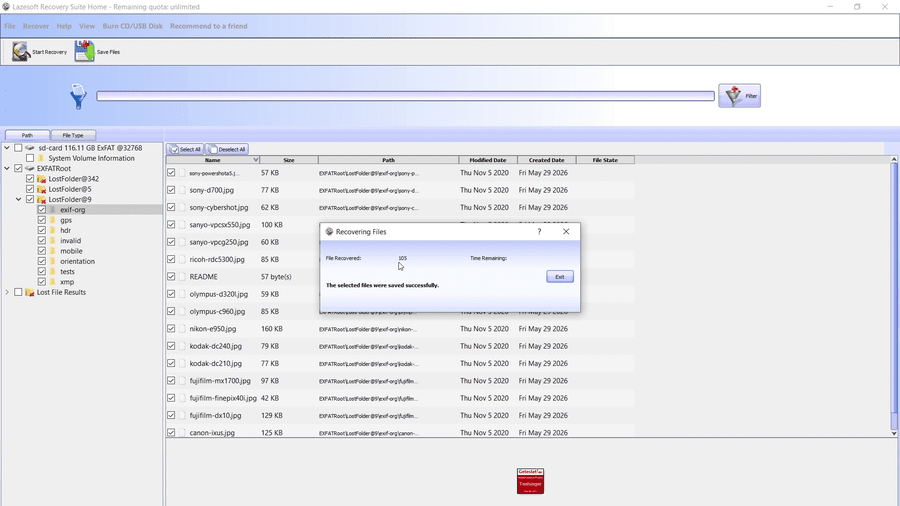
This means the selected recovery operation completed successfully.
However, a successful recovery operation does not automatically guarantee that every recovered file is completely intact. It is a good idea to open several important photos, documents, or videos afterward to verify them.
Step 11: Verify the Recovered Files in Windows Explorer
Finally, we opened the recovery destination in Windows Explorer.
The recovered folder structure and files were visible again.
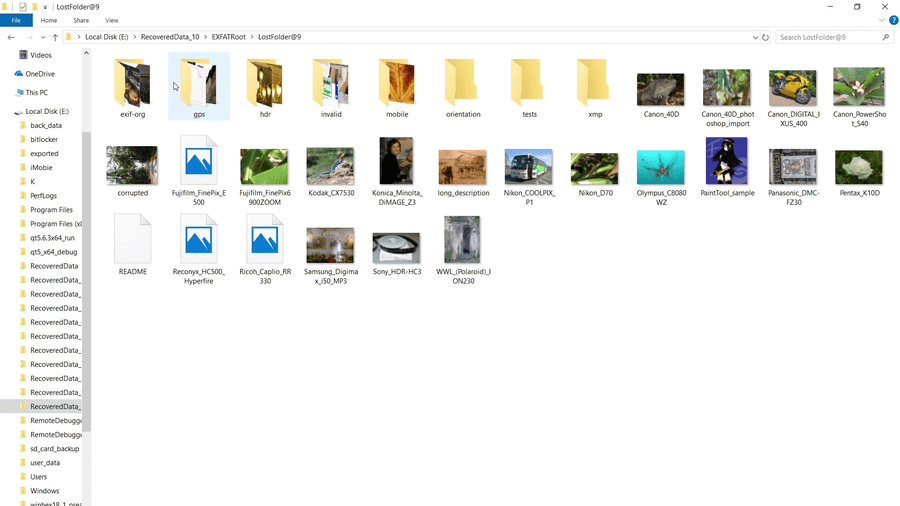
The recovered data included multiple folders and image files.
This completed the test:
Formatted 128GB exFAT SD card → card appeared empty → scan → files found → 105 files recovered → recovered files verified in Windows Explorer.
What Should You Do Immediately After Accidentally Formatting an SD Card?
Your actions immediately after formatting can have a major effect on your chances of successful recovery.
1. Stop using the SD card
Do not take new photos, record new videos, or copy new files onto it.
2. Do not format it again
Formatting the card multiple times can make recovery more complicated.
3. Do not copy anything onto the card
New data could overwrite the previous file contents.
4. Recover files to another drive
Always select a different storage device as the recovery destination.
5. Verify important files after recovery
Open recovered photos, videos, and documents to make sure they are usable.
Why Can Files Sometimes Be Recovered After Formatting?
When a storage device is formatted, the operating system may rebuild or reset file-system structures that tell it where files are located.
Depending on the type of formatting and what has happened to the storage device afterward, some of the original file data may remain on the card until it is overwritten by new data.
Data-recovery software attempts to locate this remaining information and reconstruct files and folders.
This is why stopping use of the SD card immediately after accidental formatting is so important.
The longer the card continues to be used, the greater the possibility that previously occupied storage areas will be reused.
Can You Recover the Original Folder Structure?
Sometimes.
In our test, Lazesoft was able to identify an EXFATRoot and reconstruct multiple lost folders.
However, recovery results depend on the condition of the file system and whether its metadata is still available.
In other situations, some files may instead appear under generic lost-file folders or may be recovered based primarily on their file signatures.
Therefore, the results can vary from one SD card to another.
What If Unformat Recovery Does Not Find Your Files?
If the first recovery scan does not locate the files you need, you may still have other recovery options.
For example, Lazesoft Data Recovery also provides Deep Scan, which can be useful when the original file-system information is badly damaged or no longer available.
A deeper scan may find additional files by examining the storage device more thoroughly.
If the SD card has physical problems—for example, if it repeatedly disconnects, cannot be read reliably, becomes extremely slow, or is not detected by the computer—the situation may require a different recovery approach.
Frequently Asked Questions
Can I recover files after formatting an exFAT SD card?
Potentially, yes. As demonstrated in this test, files from a formatted exFAT SD card may still be recoverable if their underlying data has not been overwritten.
Recovery is not guaranteed in every case.
Should I run CHKDSK before recovering files?
If your priority is recovering important data, it is generally better to recover the files first rather than perform operations that modify the source file system.
The safest approach is to minimize writes to the affected card.
Can I recover the files back onto the same SD card?
You should not.
Save recovered files to another drive. Writing them back to the source SD card can overwrite other data that has not yet been recovered.
Why does a 128GB SD card show about 116GB in Windows?
Storage manufacturers and operating systems can use different units when displaying capacity, and formatting also requires some space for file-system structures. Therefore, the capacity displayed by Windows can be lower than the nominal capacity printed on the card.
Does this method work only with exFAT?
The recovery procedure demonstrated here used an exFAT SD card. Data-recovery tools may also support other commonly used file systems, depending on the device and recovery situation.
Is successful recovery guaranteed?
No data-recovery tool can guarantee recovery in every situation.
Recovery success depends heavily on whether the original data has already been overwritten and whether the storage device can still be read reliably.
Final Result
This real-world test demonstrates the complete recovery process for a formatted 128GB exFAT SD card.
Windows initially showed drive M: as completely empty, but Lazesoft Data Recovery was able to scan the formatted card, locate the previous exFAT data, reconstruct lost folders, and recover the selected files.
105 files were recovered successfully in this test.
The most important rule is simple:
If you accidentally format an SD card, stop using it immediately and recover your files to another drive.
Lazesoft Data Recovery — unlimited free for home users, 1TB free for Pros.
Lazesoft Recovery Suite is easy to use, powerful boot disk design to Recover Data, Recover crashed Windows System, Recover Windows Password, Clone or Backup Disk, etc.