
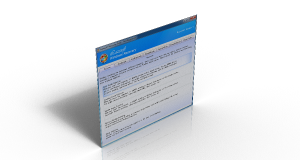
Easily fix boot problems, black screen boot failures, and rescue important data when Windows cannot start normally.
Lazesoft Windows Recovery V5.3

Windows can't boot normally? Need to Correct the boot problems or retrieve your important files.
Lazesoft Windows Recovery offers home users and businesses complete solutions to fix boot problem, retrieve valuable files, Undelete Partition, etc.
With easy to use interfaces, you can using Lazesoft Windows Recovery to correct boot problems by yourself avoided reinstall your Windows. No technical background is required.
You can use Lazesoft Windows Recovery backuping your entire Windows system or disk before repair.
The most fix operation just need one click and the operation is undoable. If you donot satisfied the fix result, you can just undo it.
The following are improvements in Lazesoft Windows Recovery 5.3:
- Enhanced One-Click Windows Boot Repair: Automatically detects and repairs common Windows boot problems, damaged system boot files, and EFI System Partition boot files.
- One-Click SFC Repair: Automatically scans offline or installed Windows systems for corrupted or missing Windows system files and repairs them using SFC.
- One-Click DISM Check & Repair: Check and repair the Windows component store and Windows system image using DISM from an easy-to-use interface.
- Enhanced WinPE Boot Disk Builder: Improves Windows 11 boot media compatibility and helps prevent WinPE boot failure with error 0xc0430001.
Common Windows Boot Problems Lazesoft Can Fix
- Bootmgr is missing
- NTLDR is missing
- A disk read error occurred
- Windows stuck on black screen
- Windows blue screen (BSOD) boot failure
- Corrupted BCD boot configuration
- Damaged Windows system files
- Windows stuck on a black screen or blank screen with mouse cursor
- Windows cannot start after cloning, image restore, or disk migration
WinPE-Based Recovery Environment
Lazesoft Windows Recovery runs inside a Windows PE recovery environment, allowing you to repair Windows systems even when the operating system cannot start.
- Boot any PC using a USB recovery disk
- Access files even when Windows is completely unbootable
- Repair boot configuration automatically
- Restore system backups
- Recover important files before reinstalling Windows
Create Recovery CD (bootable) or USB Disk to load
- Lazesoft Recovery Suite is capable of loading completely from a Lazesoft Recovery Suite Live CD, When your operating system is not able to boot, you can boot from it to run recovery tools.
- One Button Click to Repair the crashed Windows system
- Rebuild/Repair the Boot Menu
- Added Lazesoft BCD Doctor
- Support various brands of desktops PC, laptops.
- With WinPE-based and linux-base bootable disk builder, Lazesoft Recovery Suite has best hardware compatibility.
- Support WinPE USB boot disk.
- Create PE Recovery Disk on 32 and 64 bit of Windows 7, 8.1, 10, 11
Fix boot problems with Lazesoft Recovery
- Recover Windows from critical system errors when BSOD or it displayed a black screen.
- Recover MBR even if when a boot virus has corrupted the MBR.
- One Click Repair Windows System Partition Boot Sector
- Recover missing or corrupted Windows system files such as 'ntldr is missing', 'bootmgr is missing', etc.
- Recovery or edit corrupted registry, virus-infected registry key value.
- Edit and Repair Windows boot file boot.ini or BCD
- Rescue Windows 7, 8.1, 10, 11 32 and 64 bit.
- Generate Report on Windows Recovery
Retrieve your critical data with Lazesoft File Manager
- Access and copy files from computer even if Windows can't start.
- Boot from Lazesoft Recovery Suite Recovery CD or USB Disk to copy files to another local disk.
- Added Start Menu on boot disk
Registry Editor & Registry Recovery
- View and modify settings of any Windows system registry in the offline mode.
- Auto Recover corrupted registry to Previous Normal State
- After Recovery, you even had an option to Undo the Registry Recovery Operation.
Undelete Partition
- Recover partition after accidental deletion or partition table damage
- Preview partition files before save it.
- Support FAT, NTFS partition.
Top Frequently Asked Questions
How to burn a bootable recovery CD?
How to boot from the created recovery CD?
How to create a bootable recovery USB Disk and boot from it?
How to fix boot problems if Windows won't start correctly.
What are the requirements to create a bootable CD of the software?
Since, this Windows recovery software runs only from a bootable CD, you need to create a boot disk for using the system. For this purpose, you require the following resources:
- * A working Windows computer on which you can download bootable image of the software.
- * A CD drive to burn the software image on CD.
- * A recordable CD.
What version of Microsoft Windows is supported by Lazesoft Windows Recovery?
The software supports:
- * Fully supports Windows 11, 10, 8.1, 7
- * Fully supports Windows 2025, 2022, 2019, 2016, 2012 R2, 2012, 2008 R2, 2008, 2003 servers (Only Server Edition)
Which Version Should I Choose?
There are four editions of Lazesoft Windows Recovery - Home Edition, Professional Edition, Server Edition, Unlimited Edition. Here come the differences or limitations among them.
| Features | Home Edition | Professional Edition | Server Edition | Unlimited Edition |
| Supports Windows 11 / 10 / 8.1 / 7 |  |
|
|
|
| Supports Windows Server 2025 / 2022 / 2019 / 2016 / 2012 / 2008 / 2008 R2 | - | - | |
|
| Bootable Recovery CD, USB Disk | |
|
|
|
| Repair MBR, Boot Sector, Boot File, Registry, etc. | |
|
|
|
| Repair Windows System Partition Boot Sector. | |
|
|
|
| Edit Windows Boot File boot.ini, BCD. | |
|
|
|
| Registry Editor, Registry Recovery. | |
|
|
|
| Fix missing file crash such as "ntldr is missing", "bootmgr is missing" etc. | - | |
|
|
| Backup, Restore the entire Windows system disk. | |
|
|
|
| Backup, Restore MBR and Partition Information. | |
|
|
|
| Lazesoft File Manager - Copy valuable files from disks to local another hard disk/partition when system fails to boot. | |
|
|
|
| Undelete partitions. | |
|
|
|
| WinPE Recovery CD Builder | |
|
|
|
| License | Home License | Business License | Business License | Unlimited License & Technician License |
| Price | Free |  US$39.99 US$39.99US$17.95 | US$79.49
| US$199.69 US$159.69 |
* Home Licenses - for non-commercial purposes. Single license may be used for up to 3 PCs in one household. The Home license will be assigned to the individual's name.
** Business Licenses - for commercial use. With a Business License the company can use the program in a business, academic, or government environment.
*** Unlimited License - Business license that provides unlimited worldwide licensing for corporation / Government / Educational Institution.
**** Technician License - For Data, System, Password Recovery Service Providers / Repair and Maintenance Companies. Provide technical services to your clients.


Highly Recommended our highest value software -- Lazesoft Recovery Suite
Lazesoft Windows Recovery is one component of Lazesoft Recovery Suite. Besides, Lazesoft Recovery Suite also include follows component:
Lazesoft Data Recovery - powerful data recovery software
Lazesoft Recover My Password - Windows password resetting tool
Lazesoft Disk Image & Clone - Disk Clone, Backup, partition manager software
30 Days Money Back Guarantee

Testimonials
"I needed this type of product. It worked. I love it. Thank you."--David Lustig
"That worked. You don't know how much I appreciate your help. I will suggest your program to anyone that ask. Thanks again you're a life saver."--Keith Compton

Awards

Product News
September 2026
Lazesoft Recovery Suite 5.3 Released
Faster BitLocker volume backup
Enhanced One-Click Windows Boot Repair
Improved exFAT data recovery
...


