
How to Boot a Computer from a Windows Password Recovery USB Device
If you have forgotten Windows administrator password, you can use Lazesoft Recover My Password to boot from a USB device, like a flash drive and reset your user account password to blank.
Follow these easy procedures to boot from a USB flash drive.
-
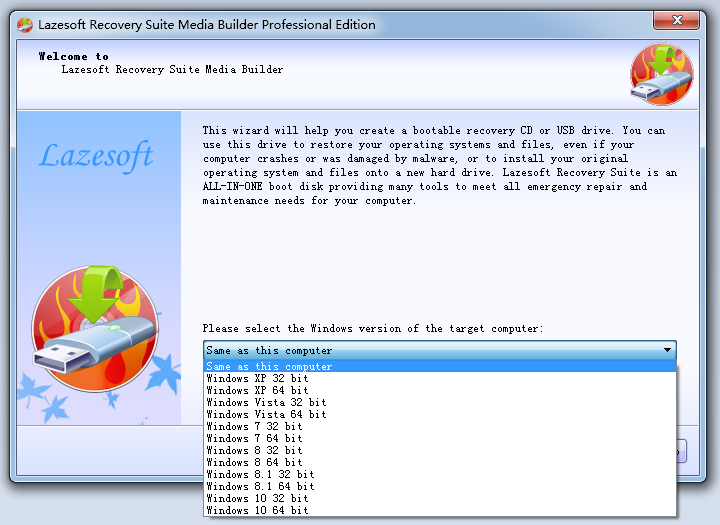
Install the software and start its Bootable Media Builder
-
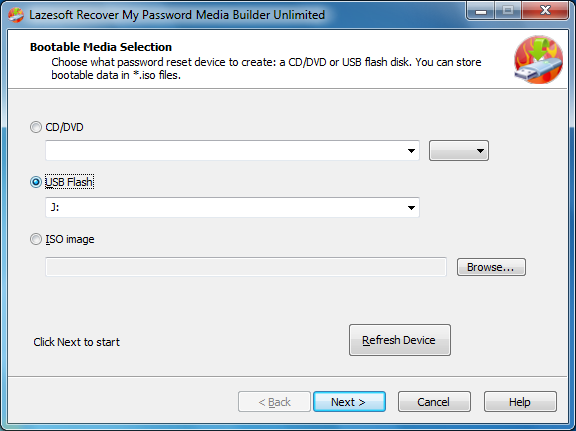
Insert a USB flash drive to your computer. And then select the USB flash drive on the Lazesotft Recover My Password Media Builder bootable media selection page, and click <Next> to start building the bootable USB disk.
-
Shut down the system and turn it back on with the USB key plugged in.
-
Enter the BIOS setup by pressing the appropriate key.
-
The USB key will be listed under Hard Drives or Removable Devices.
-
Set up the BIOS to boot from the USB key.
-
Save the BIOS setting and restart your computer. Watch for the "Press any key to boot from external device..." message.
Tips:
-
Recheck the boot order in BIOS. The number one reason that a bootable flash drive or other USB device does not boot is that the BIOS is not configured to check the USB port first.
-
Did not find a "USB Device" boot order listing in BIOS? If your computer was manufactured around 2001 or before, it may not have this ability. If your computer is newer, check for some other ways that the USB option might be worded. In some BIOS versions, it's called "Removable Devices" or "External Devices".
-
Change to another USB port. The BIOS on some motherboards only check the first few USB ports. Change to another USB port and restart your computer.
Lazesoft Recovery Suite is easy to use, powerful boot disk design to Recover Data, Recover crashed Windows System, Recover Windows Password, Clone or Backup Disk, etc.
Recovery manual and guides
How to burn a bootable recovery CD
How to boot from the created recovery CD
How to create a bootable recovery USB Disk and boot from it
How to perform a data recovery
How to recover data from formatted or damaged partition
How to fix boot problems if Windows won't start correctly
How to clone entire disk for backup or upgrading
How to recover Windows login password
How to recover Windows Server password
Forgot Windows admin user password
Forgot Windows Server 2003 2008 Domain Administrator Password
How to burn a Windows password recovery CD
How to boot Windows password recovery CD
How to recover Windows login password
How to recover administrator password
How to recover Windows Server password
How to recover Windows XP password
How to recover Windows Vista password
More...