
The following steps are the guides to reset administrator password of your server computer.
Clearing Windows Server 2003/2008 Local Administrator Password:
1.Download the Lazesoft Recover My Password Server Edition or Ulimited Edition WINPE Setup file on another working PC.
2.Set it up then launch Lazesoft Bootable Media Builder to burn a WINPE CD or USB disk. And then boot your computer from it to reset your Windows user account password.
3.On the 'Selecting Windows Volume Page' when Lazesoft Recover My Password up, if two Windows Server installation volumes are shown. Select the first 2003/2008 volume and reset the administrator password, then back to 'Selecting Windows Volume Page' and select the second 2003/2008 Windows server volume, reset the administrator password.
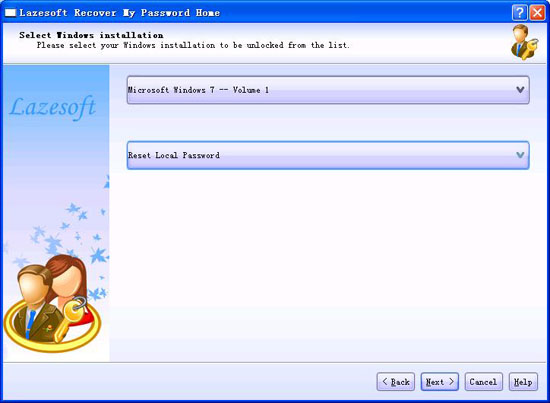
After doing steps above, you have reset Windows Local Server Password to blank. You can restart your Server computer and log in your administrator account with a blank password now. But if the server is a domain controller, you need do following addtional steps to reset your domain controller administrator password.
Resetting Domain Controller Administrator Password:
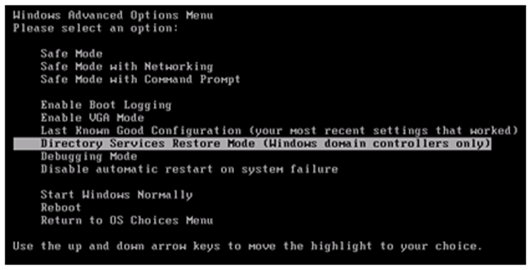
4.Restart Windows 2003/2008 in Directory Service Restore Mode.
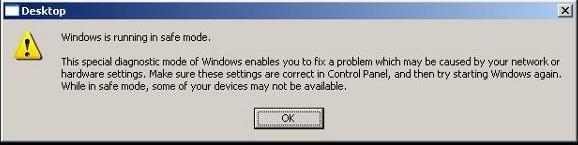
Note: At startup, press F8 and choose Directory Service Restore Mode. It disables Active Directory. When the login screen appears, log on as Local Administrator. You now have full access to the computer resources, but you cannot make any changes to Active Directory.
5.Now please download a file “Lazesoft Domain Admin Password Changer plugin” on:
Decompress it and run "change-admin-passwd-cmd.exe"
Then restart Windows normally, the program will reset the domain admin password.
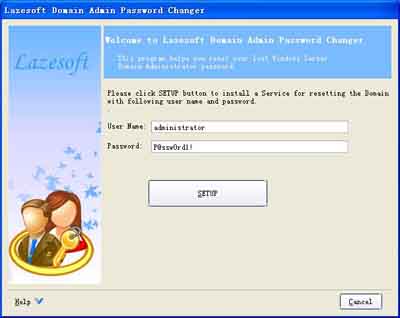
6.Log on with the Administrator's account with the password "P@ssw0rd1!".
Lazesoft Recovery Suite is easy to use, powerful boot disk design to Recover Data, Recover crashed Windows System, Recover Windows Password, Clone or Backup Disk, etc.
Recovery manual and guides
How to burn a bootable recovery CD
How to boot from the created recovery CD
How to create a bootable recovery USB Disk and boot from it
How to perform a data recovery
How to recover data from formatted or damaged partition
How to fix boot problems if Windows won't start correctly
How to clone entire disk for backup or upgrading
How to recover Windows login password
How to recover Windows Server password
Forgot Windows admin user password
Forgot Windows Server 2003 2008 Domain Administrator Password
How to burn a Windows password recovery CD
How to boot Windows password recovery CD
How to recover Windows login password
How to recover administrator password
How to recover Windows Server password
How to recover Windows XP password
How to recover Windows Vista password
More...