
Backup Operations
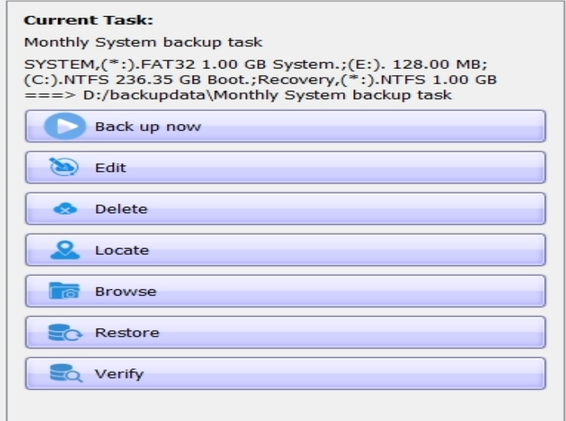
Backup Operations menu in Lazesoft System Image
Overview
The Backup Operations menu provides quick access to additional actions you can perform on a selected backup.
Available Options
- Validate – Starts the process of verifying all backup slices to ensure their integrity.
- Delete – You can either:
- Permanently delete the backup from its storage location.
- Delete only the backup task while keeping the backup files. These files can be re-added later.
- Locate – Opens the folder containing the backup files.
- Browse – Allows you to search for specific files or folders in the backup by typing a name into the search field.
- Edit – Opens the configuration interface to modify the backup schedule or settings.
- Backup Now – Immediately starts the selected backup process.